Meet FTMask: Hide Faces, Text, and License Plates Before Sharing Photos
A photo can capture the moment you want to share and details you would rather keep private: someone's face, a phone number in a screenshot, or a license plate in the background. FTMask helps you cover those areas on iPhone and iPad, with automatic detection followed by manual review.
Its image detection and masking run on your device. You do not need an account, and FTMask does not upload selected images to the developer's servers. If you send an exported image through the system share sheet, the destination app or service handles that copy.
Start with detection, then check the results
Open a picture from Photos, Files, or a compatible app's share sheet. FTMask can detect faces, license plates, and potentially sensitive text to give you a starting point for editing.
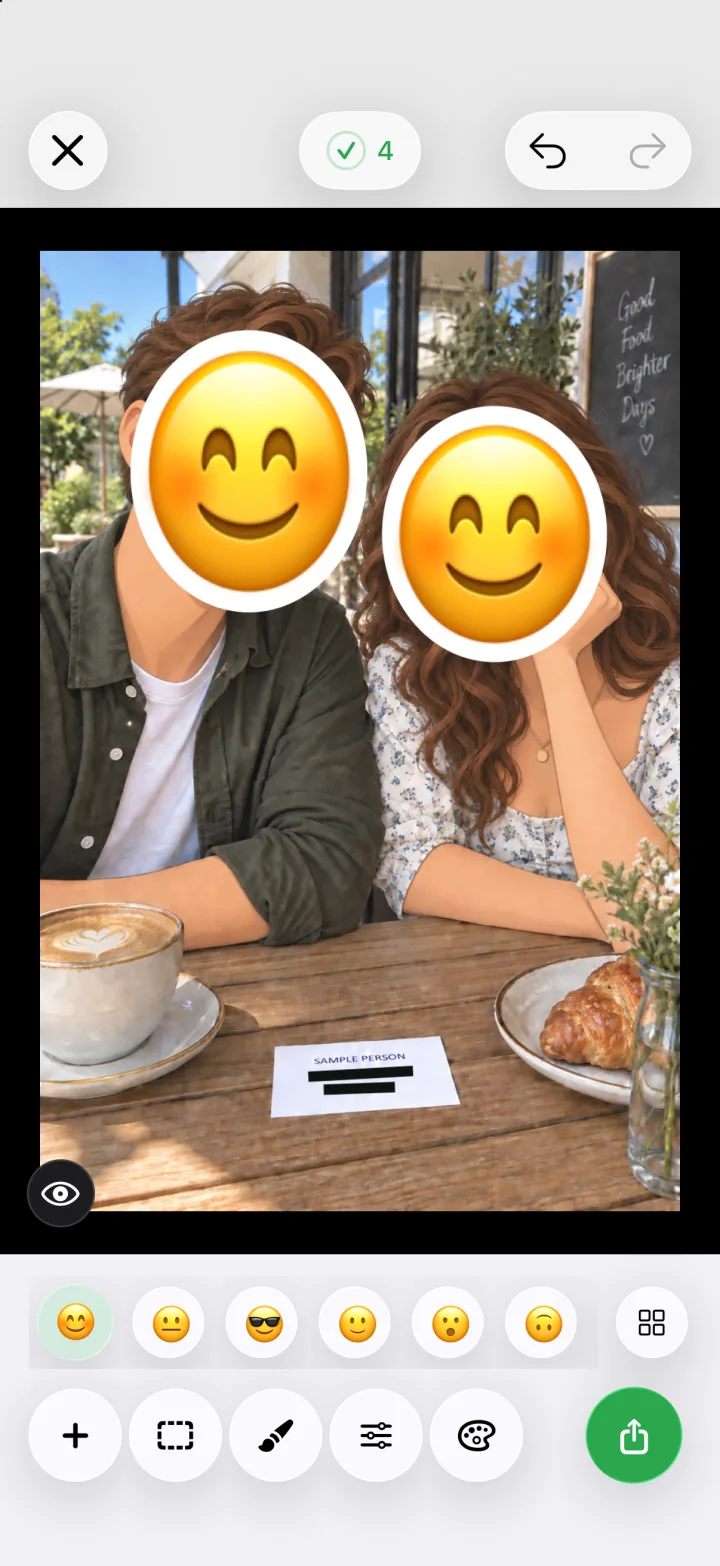
Automatic detection can miss something or mark an area you want to leave visible. Review the results rather than treating them as a finished privacy check. You can move or resize masks, turn individual regions off, and add a rectangle or brush mask where needed. Undo, redo, zoom, and the original-image comparison help with adjustments.
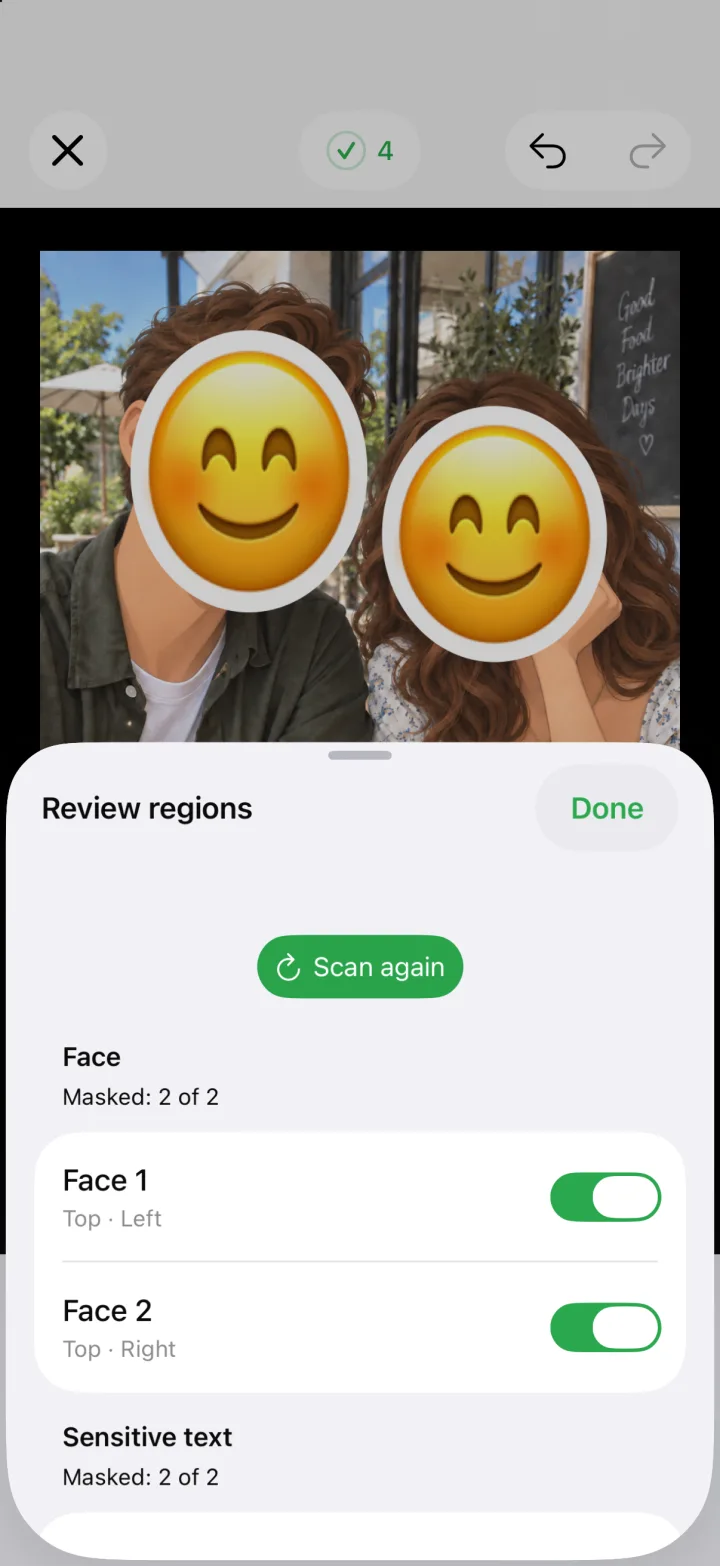
Cover text in screenshots
Screenshots often include information beyond the part you want to discuss. Check names, phone numbers, addresses, and other details before sharing a conversation or a document image. FTMask's text detection can help locate potentially sensitive content; manual masks let you cover additional areas.

FTMask offers solid color, blur, pixelation, and emoji styles. For important private information, use an opaque solid-color mask and inspect the exported result. Blur and pixelation are visual effects and do not guarantee that the underlying content cannot be inferred or recovered. Emoji masks also need to cover the entire sensitive area.
Check license plates and the background
A street or travel photo may include a license plate you did not notice when taking it. Plate detection helps identify areas to review, and you can adjust the coverage by hand.
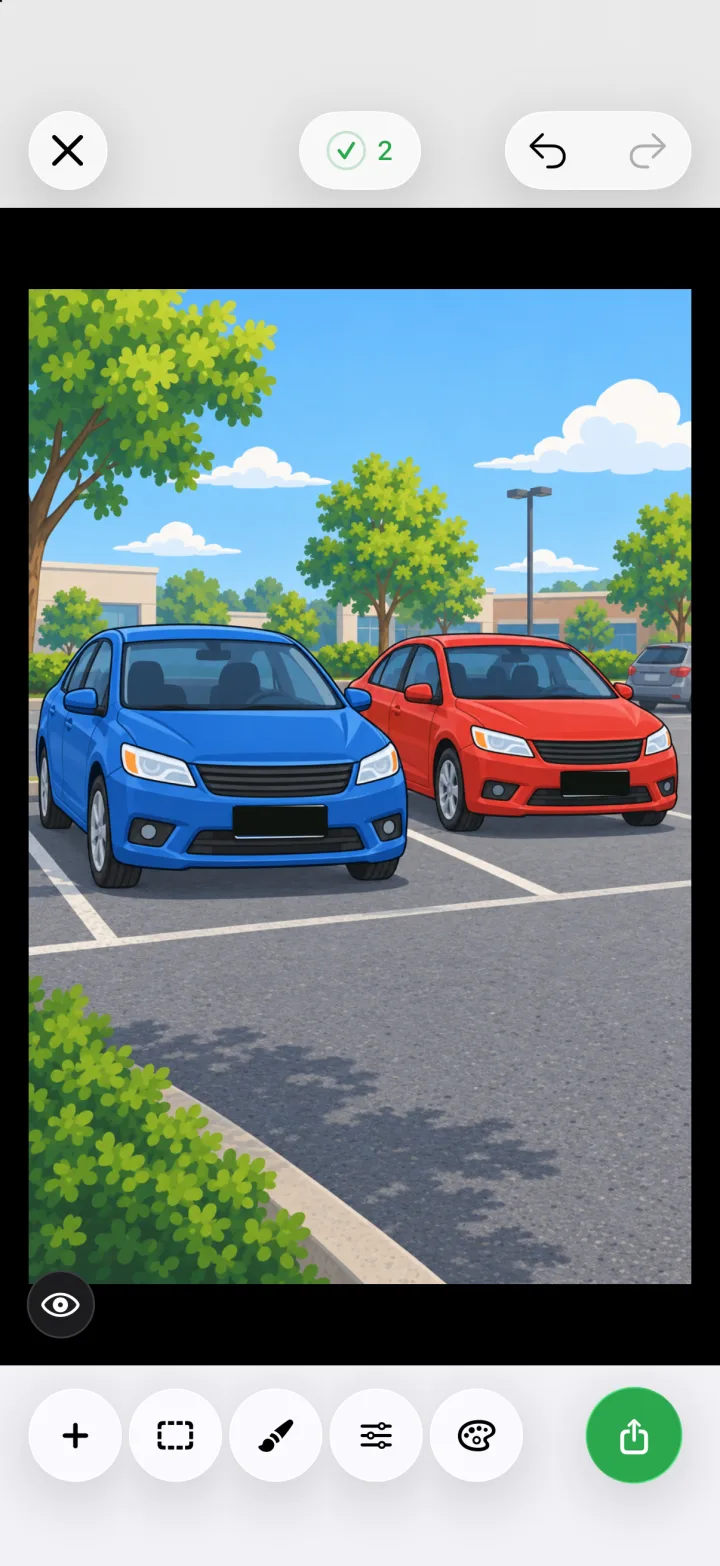
Before exporting, zoom in around mask edges and look through the rest of the image. Detection does not replace that final check.
Export a copy—and check location metadata separately
FTMask exports a separate PNG or JPEG at the original pixel dimensions. It does not overwrite or delete the imported photo or file. You can save the result to Photos or use the system share sheet; saving directly to Photos requires permission to add photos.
Masking the visible image and handling its metadata are separate tasks. Free exports retain source EXIF/GPS information, if present. A hidden address in the picture does not mean location metadata has been removed. Lifetime Pro lets you choose whether to keep or remove EXIF/GPS data.
Temporary exports are also separate from saved copies. FTMask attempts to clean up temporary files when exporting again, closing the editor, or releasing the session, and retries cleanup of abnormal leftovers on a later app or extension launch. Copies you save to Photos, Files, or another app remain there until you delete them in that location. See the privacy policy for details.
What is free, and what does Pro add?
The free version includes detection, manual editing, all four mask types, six basic emoji, preset colors, and original-resolution exports. Exports carry a movable FTMask watermark.
Lifetime Pro is a one-time in-app purchase with no subscription or automatic renewal. It removes the export watermark, adds the EXIF/GPS choice, and unlocks all emoji styles and custom mask colors. The purchase screen shows the current price, and purchases can be restored in Settings with the Apple account used to buy them.
FTMask requires iOS or iPadOS 26.0 or later. It edits one static JPEG, PNG, or HEIC/HEIF image at a time, up to 24 megapixels. Video, animated images, and batch editing are not supported.
For the complete feature overview and instructions, visit the FTMask website, getting-started guide, or FAQ and support page. The HP60 product team is responsible for this article. The publication date above identifies this content version; product behavior may change after release, so consult the linked product and support pages for current limits.Content responsibility